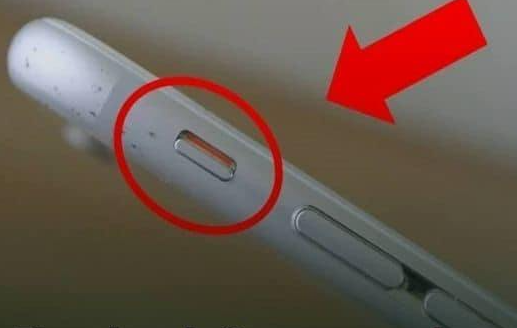
Most people use their phones dozens of times a day without ever taking advantage of the features sitting right under their fingertips. Modern smartphones are packed with layers of shortcuts and hidden tools meant to make everyday tasks faster, simpler, and more efficient — yet most users barely scratch the surface. With just a few small adjustments, a basic device can become faster, smoother, and tailored to your routine. A perfect example is the set of volume buttons on the side of your phone. They do far more than raise or lower sound. They double as some of the smartest, quickest shortcuts available, and once you start using them intentionally, the way you interact with your phone changes instantly.
One of the most underrated features is the ability to silence an incoming call without rejecting it. In situations where answering is impossible — meetings, class, a waiting room, church, or a crowded public moment — reaching for the screen can feel clumsy or too obvious. But a single press of a volume button instantly mutes the ringer. The call continues, there’s no abrupt decline tone for the caller, and you stay focused without attracting attention. It’s a small detail, but for anyone who often finds themselves in sensitive environments, it’s a lifesaver. It even works when your phone is buried in a bag or pocket.
Speed matters too — especially when something unexpected happens and you want to capture it immediately. That’s why the lock-screen camera shortcut exists. You can open the camera instantly without entering passwords, scrolling through menus, or navigating apps. On many phones, a quick swipe from the lock screen or double-tapping the power button brings the camera up in under a second. No delays, no missed moments. Whether you’re trying to capture your child’s first steps, a license plate after a minor accident, or a fleeting moment you know won’t happen again, this lightning-fast access can make all the difference.
Widgets are another underused tool. Most people constantly hop between apps just to check weather updates, reminders, step counters, alarms, or to-do lists. Widgets eliminate that extra effort. They sit right on your home screen and display the information you check most often — without requiring you to open anything. The more you use them, the more your phone becomes a streamlined personal dashboard instead of a chaotic grid of apps. Combine that with features like Dark Mode or Night Mode, and suddenly your phone feels easier on the eyes and more comfortable to use in low light.
Of course, even the most advanced phone slows down when neglected. A few maintenance habits can keep it fast, cool, and reliable. Reducing screen brightness saves battery, since the display is usually the biggest power drain. Closing unused apps and clearing cache files frees memory and reduces lag. Battery-saver mode can stretch remaining power when you’re traveling or away from a charger. And one of the most overlooked steps is simply installing software updates. They aren’t just cosmetic — they patch security gaps, improve battery performance, boost speed, and keep your phone compatible with new apps.
Storage management is just as important. Every unused app takes up space and may even run silent background processes. Deleting apps you never use, clearing old downloads, and moving large files to the cloud can dramatically improve performance. A phone with free space always runs smoother than one constantly pushed to its limits. These habits take only a few minutes but can make your device feel almost new again.
A smartphone today is more than a communication device. It’s a camera, a planner, a notepad, a flashlight, a personal assistant, a GPS navigator, and sometimes even a safety tool. The more you understand the features built into it, the more powerful and reliable it becomes. Even small shortcuts — like silencing a call discreetly or opening the camera instantly — make daily life easier. Combine those with smart settings, regular updates, and good storage habits, and your phone becomes faster, safer, and more convenient.
These features aren’t hidden to be secretive — they’re designed to make technology feel natural. The better you use what your phone already offers, the less time you waste navigating menus or dealing with avoidable issues. With just a few intentional habits, the phone you already own becomes a tool that works harder for you, quietly improving efficiency, comfort, and convenience every single day.